
ehRadio
This documentation is the same on the Github Repository, which may be easier to explore.
Introduction
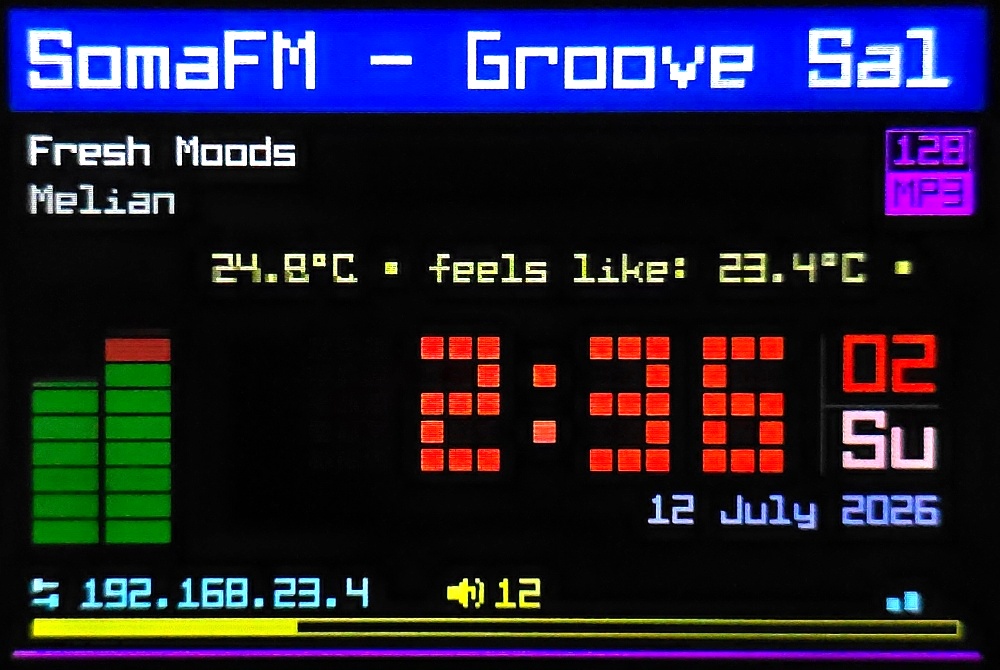
ehRadio runs on an ESP32-S3 to play Internet radio streams.
A radio may be built using an ESP32-S3, an audio decoder, a display, and some inputs. ESP32 or ESP32-C3 boards are possible but may require special work. In some cases, like for the ES3C28P, no peripherals are even needed.
To develop, I prefer VS Code but you may try other IDEs. I compile using Platformio but it may compile in Arduino IDE as well. Some libraries may only be available from Platformio Registry.
If you have zero desire to use VS Code but still want to build a radio, that's OK, too. I would suggest you read the documentation a bit to make sure you get the right firmware for your radio.
ehRadio is a fork of ёRadio / yoRadio v0.9.533 and would not exist without the years of work e2002 put into it. Read A History of ESP Radios for more.
Features
ehRadio is focused on increasing usability for a non-builder / non-coder while at the same time stressing future-compatibility for builders (starting with the ESP32-S3 and future ESP boards).
ehRadio inherits a lot from ёRadio, but improvements have been made to many functions.
Features For Users
- Uses ёRadio input control architecture
- up to 2 rotaries and 6 buttons
- touchscreen control (basic swipes and taps)
- IR remote control
-
Nextion support removed
-
36 Display languages
- uses a single Unicode font
-
easily changeable in WebUI
-
Mobile-first WebUI design
- many settings changeable
- 50 Languages available (easily changeable in WebUI)
- WebUI easily accessed using ehDP
- playlists can be edited, imported, exported to files
- playlists can be imported, merged, and shared via webstations curated lists
-
radio station streams can be directly added to using Radio-browser API search
-
Web flasher & Internet OTA updates
- make getting a new version easy-peasy
-
caveat: your build must be in the
buildsfolder of this repository -
MQTT, Telnet, HTTP
- almost all WebUI commands are available
- with MQTT, Home Assistant integration is possible, too
Features For Builders
- Development is primarily focused on ESP32-S3
- 8MB flash recommended (4MB possible but will break features)
- ESP-WROVER with PSRAM probably supported but untested
-
ESP32-C3 possible but untested
-
Multiple decoders supported
- I2S DAC Modules are recommended and well-supported
- PCM5102
- UDA1334
- MAX98357A
- ES8311 (mono)
-
VS1053 updated but not recommended
-
Display architecture based on ёRadio
- simplified and expanded
-
multiple themes and layouts compiled-in
-
SPI architecture supports non-standard pins
- uses custom-named buses
SPIAandSPIBdefined inmyoptions.h -
recommended to use default pins wherever possible
-
System and user default settings can be set in
myoptions.h - still changeable in WebUI
WebUI
The WebUI is optimized for mobile browsers but looks great on PCs, too.
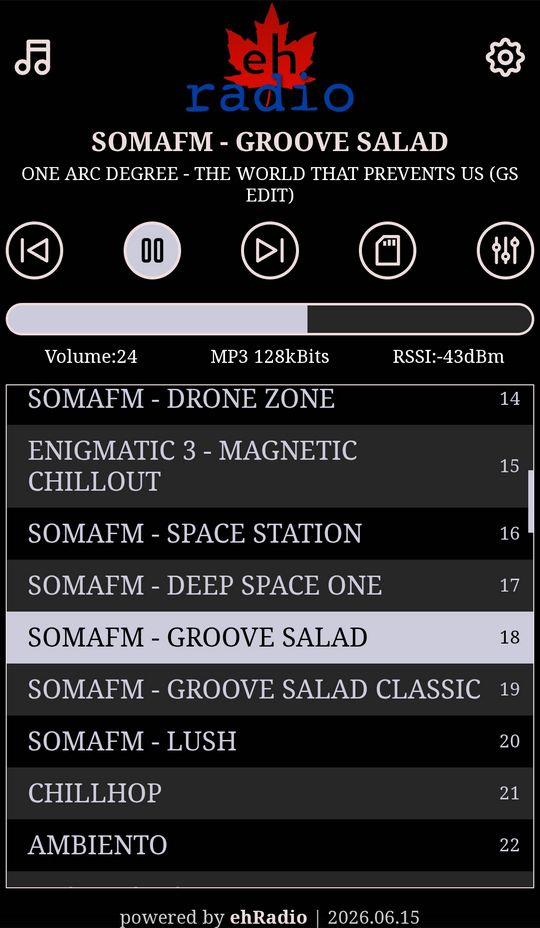
More screenshots from the WebUI are here.
Documentation
The best starting point (after reading this page) is the myoptions Generator.
This can assist in making a very good myoptions.h file, which should be placed in the root of the build folder next to platformio.ini (which the generator also makes).
The generator contains almost all supported hardware peripherals and build options which can be used when building an ehRadio, as well as many notes. It can generate a shareable link (json is encoded in the URL) and can even contain advanced options and notes.
If you need to get more advanced options, there are more build options and comments and notes in options.h.
You can use these notes to further customize your myoptions.h.
Some hardware questions may also be answered within this file.
Want to get even more advanced? There are bunches of notes and tools in the codebase including font editors & builders, localization scripts, and more.
Languages
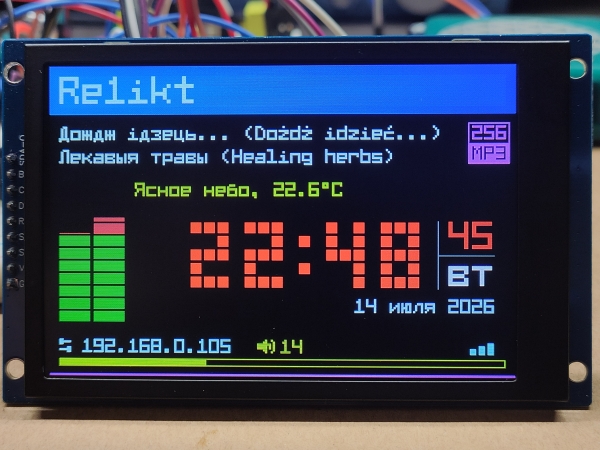
Language-support is directly hardcoded into the firmware and use the Matrix-Fonts 8x6-series fonts.
Language-preference may be set using myoptions.h but all languages are available in all firmwares and are easily changeable in the WebUI.
If using a display other than English (either on the display or in the WebUI), there may be errors in the translation.
Mostly they were added as with machine-translation tools.
Fixes or additions are always welcome.
There are tools in the codebase to assist with translation work but hand-editing the .json files is not too hard.
Serial Output
When in doubt or having issues, check the serial output. Serial output logs show a lot of useful information.
Add #define ALL_DEBUG_LOGS to your myoptions.h to view extended diagnostic information.
Connecting to the radio via telnet will also show serial logs.
Boot Modes & Icons
Next to the version on the boot screen (which is very brief when Scan for Best Wi-Fi on Boot is disabled),
an icon will appear to reflect certain boot modes.
Smart Start  

Selectable in the Settings of the WebUI, Smart Start will automatically play the station stream or SD file which was playing when last powered-off.
Safe Mode  

After booting, the device waits 30 seconds after network connection to mark (in NVS) the boot as stable. If powering off before this time has elapsed, the next boot will enter "safe mode" - which disables smart start, auto update, and SD Mode. The settings for smart start and auto update will appear as off but they will resume their previously-saved setting on next boot (if the safe mode boot was marked as stable).
SD Offline Mode  

To enter a special SD-card only mode (with network functionality disabled), hold down any button (including encoder switches) shortly after powering-up (until the display shows something). It is not necessary to hold these buttons while powering-up, and actually could cause issues if the builder put a button on a strapping pin.
You can also enter this mode by pressing the play button, clicking a rotary encoder button, or tapping the touch screen
in AP/Improv Mode or when you see * LOST *, which will trigger a reboot.
If no RTC is connected, the clock will not display. Most settings, as set in the WebUI, are preserved in this mode. These are disabled: Safe mode, Deep Sleep, Mode switch.
SD Shuffle (which makes the "previous" button do nothing) will be read from preferences and changeable using Mode switch (the mode button or double-click of a rotary encoder). It is not saved to preferences in this mode. All other buttons will have expected behaviour.
Exit this mode (reboot with network functionality) by powering off and powering on again.
Hardware Choices
There are many considerations to make when building a radio.
For a detailed guide to supported hardware and peripherals, wiring, and audio isolation, read here.
A Warning & Disclaimer
With the 2026.07.31 release, the display architecture was overhauled to make layouts and colors changeable while running.
This involved significant changes to the original code and layouts.
Trip5 builds include OLED 128x64 and TFTs 480x320, 320x240, 160x128. Other display sizes may have quirks or issues with layouts that need repair.
Radio Creations
I can't 100% confirm this, but I am pretty sure all devices built for other ESP-based radio projects will run ehRadio, as long as the hardware is supported.
And although (as of 2026.06.15), ehRadio has been reworked so an ESP32-S3 can be wired with an SPI display and a VS1053 (which ёRadio & ESP32-RadioV2 can't),
Below here are some sketches and helpful hints to building one of the "prebuilt" firmwares as available in the Releases and the online flasher.
If you already have a good idea on how the hardware works and would just like to use a prebuilt binary,
check out the Releases and click on a link to open the generator with that binary's profile,
which includes hardware needed, pins to connect, and more.
There is also a no_display build here if you just wish to test functionality.
Note that if following this path, you don't necessarily to attach all peripherals (rotary, buttons, IR Receiver, SD card, display). The radio needs only the ESP board and the audio decoder to function... although your WebUI may show links to peripherals that don't exist.
If don't want to mess around with VS Code but would still like your own build added to the Releases, you can make a firmware request. Please also do some research before requesting a firmware.
Trip5's Radios
These are a few I have made, using cheap Bluetooth speakers from Aliexpress, gutted, and fitted with plastic cases stuck where the Bluetooth control once was.
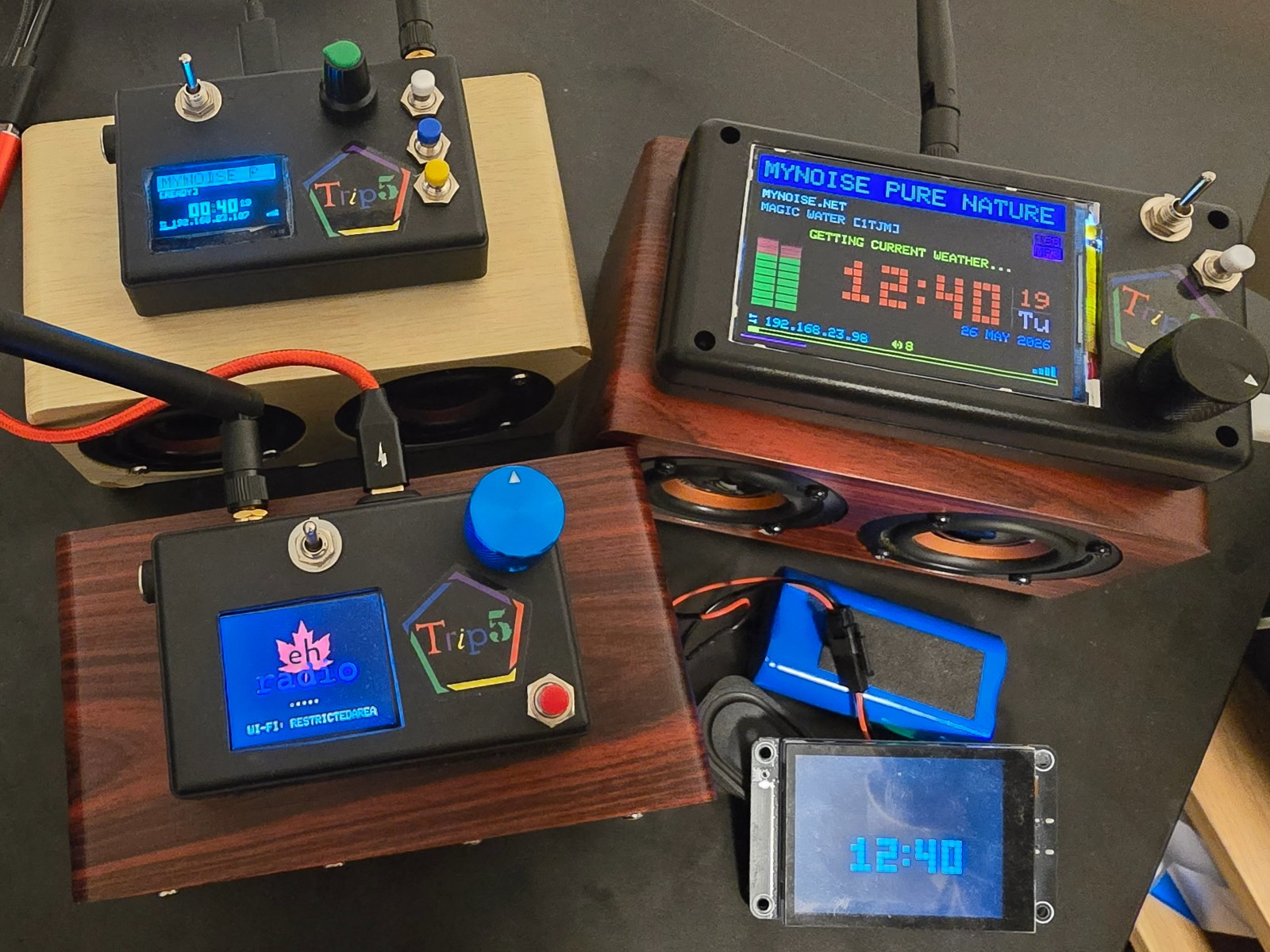
I exclusively use XH2.54 connectors to connect between components with headers and to the ESP32-S3. With a bit of practice, it becomes quite easy to make reliable conections that can also be (fairly) easily changed later. They are way more reliable than using breadboards and duPont connectors.
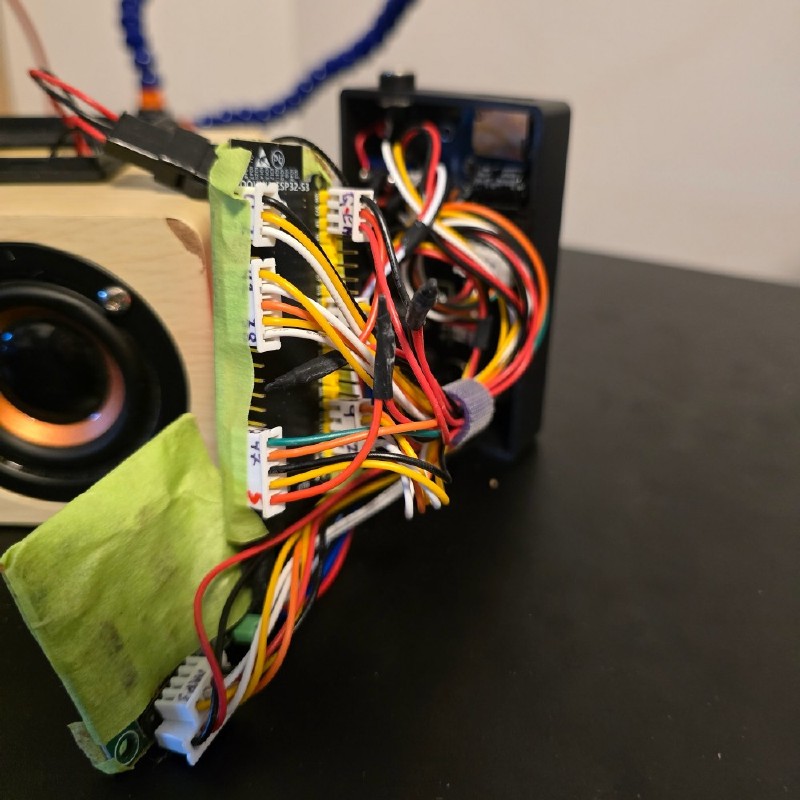
And painter's tape keeps the components from making contact with each other when I stuff them into the speaker.
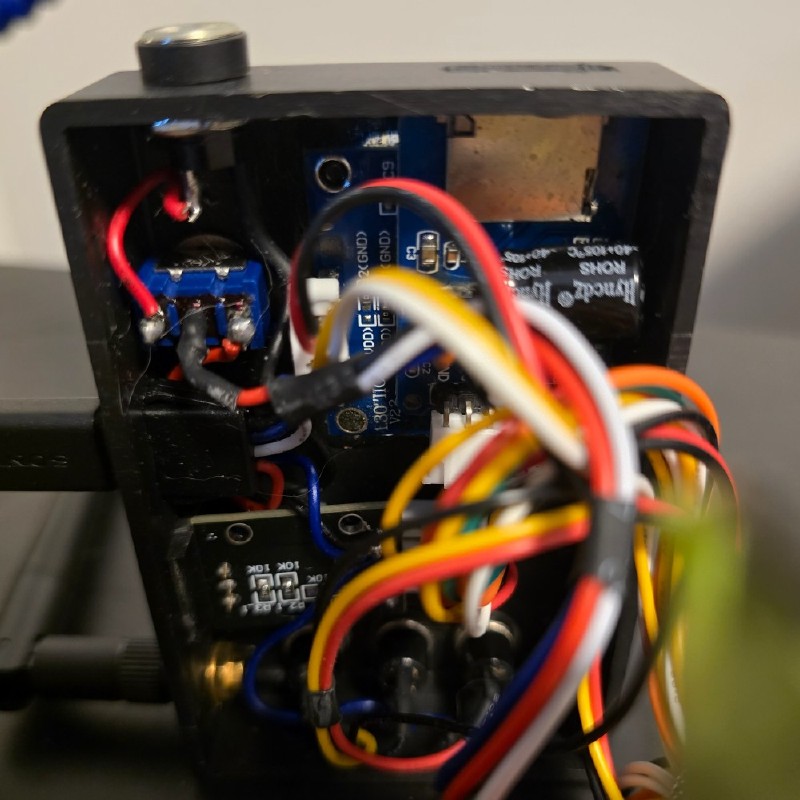
Of course, switches will still require some soldering.
For more notes about this build, check out my Notebook, which contains notes about various components.
A fair warning: These are pretty basic, with no expectation of audio isolation.
At some point, I will make a more beautiful and nice-sounding radio, perhaps taking inspiration from:
ёRadio Builds
Want to see more pictures? e2002 collected a lot of pictures of ёRadio builds here.
A History of ESP Radios
In the beginning...
Edzelf was probably the first to work on the idea of an ESP-based radio with Esp-radio, making his first Github upload April 4, 2016 which included audio decoding with a VS1053 decoder, built on a ESP8266.
Edzelf then made ESP32-Radio, with his first release on May 23, 2017. Later, ESP32Radio-V2 was created on October 4, 2021 and includes I2C audio decoding (see below). Edzelf still maintains ESP32Radio-V2.
karawin began work on Ka-Radio with his first Github submission June 15, 2016 for VS1053 and ESP8266. Unlike the other projects and libraries here, it is not done using Arduino code. It uses the ESP8266 RTOS SDK directly using C and assmbly. karawin continued with Ka-Radio32, with the first commits on Github September 20, 2017. Ka-Radio32 credits MrBuddyCasino's ESP32_MP3_Decoder for its I2S audio decoder, which was first put on Github January 19, 2019.
At some point, schreibfaul1 began work on the ESP32-vs1053_ext library, making his first version available on Github October 13, 2017, crediting Edzelf's ESP32-Radio as inspiration. Further work has been done by nstepanets who took over October 25, 2025.
schreibfaul1 also created the ESP32-audioI2S library, making his first version available on Github October 28, 2018. Work continues on that library today. Coming full circle, Edzelf likely adapted this library when working on ESP32Radio-V2 radio.
It is hard to say definitively, but more than likely all of these projects have inspired each other in various ways. The DNA of all these projects are still evident in ёRadio and ehRadio.
If you have more information about the history of these projects or corrections to this story, I'd be interested to know!
ёRadio
Russian site 4PDA's megathread "WI-FI internet radio DIY" started in November 21, 2020, at first primarily centered around modifications to Ka-Radio32. This thread contains a lot of useful information regarding hardware. I can't say how much of this information was used to improve Ka-Radio but easy (e2002) and Wolle (schreibfaul1) both appear to have improved their libraries using this information.
e2002 began sharing his work on the 4PDA "WI-FI internet radio DIY" thread January 25, 2022.
ёRadio v0.4.170 was first added to Github Feb 4, 2022, based primarily on schreibfaul1's libraries.
ehRadio
In July 2023, I built my first radio using Edzelf's ESP32Radio-V2. In November 2024, I discovered ёRadio and on December 26, 2024, I made my first PR.
In May 2025 I began adding full support for Radio-browser API with the hope it would improve a user's experience. I also merged many of maleksm's mods. That PR started June 13, 2025 was abandoned June 19, 2025 with a ridiculous amount of changes.
In retrospect, proposing thousands of lines of changes was rude and unrealistic. After some thought, ehRadio was forked August 10, 2025. On May 21, 2026, ehRadio was officially deforked from ёRadio on Github.
I will add a note here that although I do use AI-assisted coding, I am not a "vibe-coder" - except for python and javascript.
I welcome all pull requests but please follow the rules as laid out in copilot-instructions.md and code-summary.md,
the former of which is a set of hard rules for AI-assisted coding, the latter of which is an AI-generated Bible of the codebase to help an LLM maintain codebase consistancy.
Audio Libraries
ehRadio currently uses the ESP32-audioI2S library from Maleksm's ёRadio mod v0.9.434m,
likely mostly from schreibfaul1's library 3.1.0 January 7, 2025.
For VS1053 decoding, ehRadio uses the ESP32-vs1053_ext library from nsteplanets PR226 to yoRadio.
Both libraries have been further optimized to get the best playback possible.
There are notes in the libraries folder regarding some of the "Frankenstein" operations performed (since I know very little about decoding libraries).
For that and other major needed changes to the codebase, there is a code-issues.md file which may be a messy file to look at, depending on how these efforts are going.
Update History
Updates
| Date | Release Notes |
|---|---|
| 2026.08.19 | Stability and bug fixes (SD Offline), documentation |
| 2026.08.13 | Memory usage, stability, and bug fixes (especially to SD, VS1053) |
| 2026.08.03 | Minor fixes (and whoops) fixed Search and Curated |
| 2026.07.31 | Layouts and Themes changeable while running, various fixes to touchscreen, font glyph fallback behaviour, battery functions simplified, playlist verification, localization 100%? |
| 2026.07.20 | Various fixes to inputs, SD Offline mode, DSP_DUMMY, SD metadata, Controls.md edit, w/Kle7rx: mute |
| 2026.07.17 | Various fixes to safe mode, boot screen shows version and mode, Hardware.md edit |
| 2026.07.12 | SD Offline Mode added, Hardware.md added, fixes to Deep Sleep, smart start, SD index, SD metadata, VS1053 volume curve, PSRAM |
| 2026.07.05 | More fixes to VS1053, Wake from Deep Sleep now works on all RTC-capable pins |
| 2026.07.01 | 🍁 Minor fixes: WebUI, Display, Locales, VS1053 patch, smart start (last station plays after OTA/flash upgrade) |
| 2026.06.29 | Unicode 8x6 fonts with full multilingual support, Share added to Playlist Editor, Nextion support removed, VS1053 library updated (patch functional) |
| 2026.06.18 | WebUI files now served from PSRAM cache (if available) which eliminates audio stuttering for I2S decoders, adjustments to PSRAM-related code, rotary encoders fix |
| 2026.06.15 | SPI fixed so SPI Display and VS1053 are possible, SD fixes, Wi-fi reconnect smarter, generator indicates safe pins |
| 2026.06.08 | Fixed Search/Curated additions corrupting the playlist, changing stations faster, connect errors fail faster, safe mode entered after unsuccessful boot (disables smartstart, autoupdate) |
| 2026.06.03 | Displays overhauled to support more displays more easily, I2S volume now cubic polynomial, VOLUME_SCALE 42 reduces volume increments from 254, volume steps removed, generator updated |
| 2026.05.29 | IR fixed, HA component updated, playlist page mode added for ILI9486/9488, playing current station does nothing, documentation completely overhauled |
| 2026.05.26 | De-fork from ёRadio Theme updated, Chunky6 font, fixes to options.h: BTN_* fixed & ENC_* renamed, screensaver fixes, battery widgets, ILI9225 from ёRadio v0.9.710, generator updated, partitions changed |
| 2026.05.19 | This readme, myoptions generator, cpu cores/stack sizes optimized (monitor added), auto dimming, plugins removed, general & specific code repair, refactor, optimization |
| 2026.05.08 | SPI buses more flexible, unified commandhandler and error logging, Home Assistant component fixed, OTA & naming methods finalized |
| 2026.04.09 | major and minor changes to structure, aggressive reconnect to wi-fi |
| 2026.03.30 | OTA page reload graceful, 3 javascript files combined to 1 (script2.js) |
| 2026.03.22 | ehDP added, playlist editor grabbable fixed |
| 2026.03.18 | multiple weather providers, screensaver mode fixed, https connection improved, w/Kasperaitis: multi-locales in display and WebUI, Kasperaitis: battery handling |
| 2026.02.18 | WebUI improved, Curated Lists, default playlist on first boot, Smart start fixed, SPIFFS cleanup, Kasperaitis: battery monitor and telnet formatting |
| 2026.02.06 | online flasher, improv mode |
| 2026.02.04 | scan/connect wi-fi, use PIO libraries and less local libraries, Kasperaitis: ES8311 and FT6336 (for ES3C28) |
| 2025.08.31 | Display fixes and other fixes from ёRadio up to v0.9.693 including framebuffer |
| 2025.08.20 | Online updater fixed, WebUI fixes for mobile displays, MQTT added to WebUI |
| 2025.08.12 | builds\ folder added to share configurations, hotspot AP mode fixed, preferences in myoptions.h, improvements from ёRadio v0.9.574 |
| 2025.08.10 | ehRadio begins, folders restructured, data\ files stay uncompressed (compressed in from Releases, which radio can download), timezones.json updated automatically |
| 2025.07.23 | more options in WebUI |
| 2025.07.19 | PR to ёRadio v0.9.533: EEProm storage changed to Preferences, fixes for screens that can't display certain characters, ESPFileUpdater added (updates timezones and Radio Browser servers), proper timezones, many macros added to myoptions.h, Radio station search, Playback queue now RTOS background task, improved JSON and CSV file importing, maleksm's backlightdown and decoder improvements, ESP8266 support removed |
Old Readme
A full history of ёRadio from v0.4.177 to v0.9.533 can be seen in the old Readme.
Credit
Thanks to:
- kle7rx -
ru_RUtranslation, debugging, mute feature, VS1053/I2S fixing, and amplifier schematics - Kasperaitis -
lt_LTtranslation, initiating locales, battery support and widget, and a bunch of work for ES3C28P (including ES8311 decoder, FT6336 touchscreen) - e2002 - for ёRadio without which ehRadio would not be possible